NewShipped 30 September 2026
No signal? Keep logging your spending
In the souk, on the train or abroad without data: add income and expenses offline. They wait on your phone and sync by themselves when you’re back.
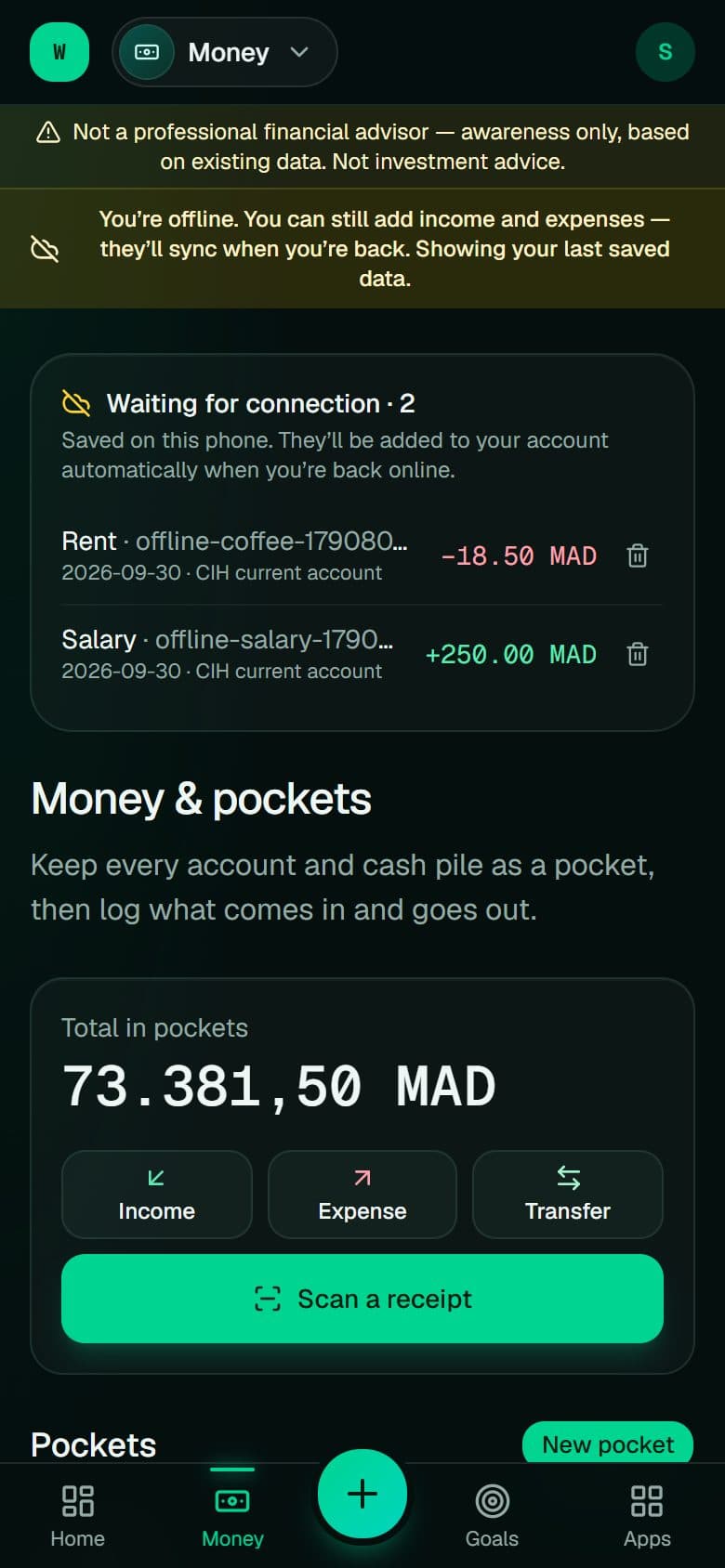
Spending happens where the network isn’t. The WealthOS app now keeps your money pages on your phone: you can open them, add an expense, an income or a transfer, and see what’s waiting. As soon as the connection comes back — even with the app closed on Android — everything is sent, exactly once.
// What it does
- Add income, expenses and transfers with no connection
- A “waiting for connection” list on your money page
- Automatic sync when you’re back, never twice
- Other pages tell you clearly they need a connection
// How to use it
- 01
Install WealthOS on your home screen and open it once online
- 02
Offline, tap + and add the expense as usual
- 03
Back online, it moves into your transactions by itself